1. DC
  2. Tests & Artikel
  3. Know-How
  4. Clues and Knowhow: Office Paper
deen

Clues and Knowhow Office Paper: Clue No. 4: Choose the appropriate paper

von Florian Rigotti (geb. Heise)

There is no "right" paper for every print. The interaction of printer, inks or toners, and paper all together contribute to satisfactory results.


Papers for laser printing
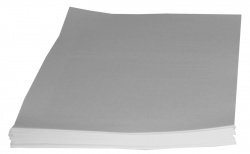
Papers are stressed a lot passing through a laser printer. They are dragged, bent, pressed, and heated up to 200° Celsius or more. That´s why only special kinds of paper are fit for laser printing.

In no case use a paper which is coated to enhance ink-jet printing. High temperatures could melt the coating, frequently doomsday for the fuser unit.

As a rule every manufacturer of printers also sells papers, which are tweaked for their products.

You will often find lists, which show what papers are best for every printer.

These papers are ususally more expensive than "no-name" products, but they have features that limit wearout of the printers.

Manufacturers of paper offer a great number of paper for laser printing, most of the time at a lower price. After you buy a printer you should test several types of paper, before you finally decide on a specific brand.

Paper for ink printing

As a beginning follow the manufacturers advice, good color prints are products of optimal interaction of printer, inks, and paper.

Before you try out inks and papers produced by other manufacturers print samples of several colored documents, which are often used in your firm or household, using the original inks and papers. Then do not switch inks and papers at the same time, if misprints occur, you will not know, what caused them.
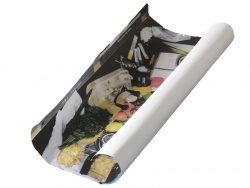

It pays off to use offers by paper companies: They send you a package with different kinds of coated papers as a try-out.

"Normal paper" or copy paper usually is unfit for ink printing, because it is unable to absorb ink fluid fast enough.

You will find more information on foto paper in this DC-article.

Dieser Artikel wurde ohne generative KI erstellt.
20.08.09 16:12 (letzte Änderung)
1What you should know about Office Paper
2Clue No. 1: How to store printing paper properly
3Clue No. 2: Print on proper side
4Clue No. 3: Treat paper properly
5Clue No. 4: Choose the appropriate paper
6Clue No. 5: Check paper grain
7Clue No. 6: Printer Wearout by Paper
8Knowhow 1: Demands on Quality of Office Paper
9Knowhow 2: Paper grades
10Knowhow 3: What Paper is made of
11Knowhow 4: How Paper is made
12Knowhow 5: Paper-manufacturing Companies
13Knowhow 6: A brief History of Paper

13 Wertungen

 
1

Offenlegung - Provisionslinks

Wir erhalten bei einer Vermittlung zum Kauf oder direkt beim Klick eine Provision vom Anbieter.

Alle Preise enthalten die derzeit gültige MwSt. und verstehen sich zzgl. Versandkosten. Der Preis sowie die Verfügbarkeit können sich mittlerweile geändert haben. Weiß hinterlegte Preise gelten für ein baugleiches Gerät. Alle Angaben ohne Gewähr.

Forum Aktuell
13:55
13:50
13:49
13:47
12:38
Artikel
05.03. Canon i-​Sensys MF563dw, LBP335dw sowie Imageforce 1643: Abgerundete Sache mit neuem Scanner und bewährter Technik
26.02. WI506: Brother hat den wechselbaren Resttintenbehälter (wieder-​) entdeckt
23.02. Brother OAuth 2.0: Moderne E-​Mail-​Authentifizierung bei Brother-​Druckern
18.02. Brother MFC-​J5000DW-​Serie (2026): Leistungsfähige Bürotintendrucker bald auch in kompakt -​ ohne A3-​Funktion
12.02. Ricoh 300 SE-​Edition: Neue Mono-​ und Farblaser nun ohne WLAN und NFC
11.02. Windows Legacy Treiber v3/v4: Windows-​Update nimmt keine neuen Druckertreiber mehr auf
10.02. Mutoh-​Übernahme: Brother will unbedingt ins Großformat
06.02. 90 Jahre Ricoh: Jubiläum des Spezialisten für Kameras und Büromaschinen
05.02. Single-​Use printer cartridge ban: Los Angeles will Einweg-​Fremdpatronen für Drucker verbieten
26.01. Druckerauslieferungen IDC Q3/2025: Epson übernimmt von HP die Marktführerschaft bei Tintendruckern
23.01. Epson L5390, L3360, L3350, L3310 und L1350: Zeigen sich hier die neuen Einstiegs-​Ecotanks?
20.01. Brother ADS-​4550W: Dokumentenscanner mit Verpackungs-​Update
Beliebte Drucker
Neu ab 959,90 €1 Canon i-Sensys MF563dw

S/W-Multifunktionsdrucker (Laser/LED)

Neu   Canon i-Sensys LBP335dw

S/W-Drucker (Laser/LED)

Neu   Brother MFC-J5117DW

Multifunktionsdrucker (Pigmenttinte)

Neu   Canon Imageforce 1643

S/W-Multifunktionsdrucker (Laser/LED)

ab 319,99 €1 Canon Maxify GX4050

Multifunktionsdrucker (Pigmenttinte)

ab 148,99 €1 Canon Maxify MB5150

Multifunktionsdrucker (Pigmenttinte)

ab 349,99 €1 Epson Ecotank ET-4950

Multifunktionsdrucker (Tinte)

ab 256,90 €1 Epson Workforce WF-7840DTWF

Multifunktionsdrucker, A3 (Pigmenttinte)

ab 138,99 €1 Brother HL-L2445DW

S/W-Drucker (Laser/LED)

ab 146,90 €1 Epson Expression Premium XP-7100

Multifunktionsdrucker (Tinte)

Merkliste

×
Drucker vergleichen